Run your own ChatGPT
Run your own ChatGPT
Well the title is a bit click bait-y. It basically means running Large Language Models (LLMs) locally on your computer, even in a VM for that matter. Think of it as having your own personal AI assistant that runs entirely on your hardware, without sending any data to external servers.
There are two major advantages of running LLMs locally:
-
It’s free! You don’t have to pay for subscriptions like ChatGPT Plus ($20/month) or Gemini Pro. Once you download a model, you can use it as much as you want without any usage limits or API costs.
-
Privacy and Data Control: Though there are free versions of commercial LLMs, running on your own computer makes it completely private. You’re not giving away your personal queries, interests, and data to third-party servers. This is especially important if you’re asking health-related questions, working with confidential business data, or discussing sensitive topics.
Additionally, you get:
- No internet dependency: Once models are downloaded, you can use them offline
- Customization: You can fine-tune models for specific tasks
- No rate limits: Use the model as much as you want without throttling
Setting up Ollama
Firstly, you need to install and start ollama. Ollama is a tool that simplifies running LLMs locally. It handles model management, provides a simple API, and optimizes model execution for your hardware.
On Mac, you can install it using Homebrew:
brew install ollama
For Linux:
curl -fsSL https://ollama.com/install.sh | sh
For Windows, download the installer from the Ollama website.
Next, we need to start the Ollama server. This runs in the background and handles all model inference requests:
ollama serve
The server will start on http://localhost:11434 by default. Keep this terminal window open as it needs to run continuously.
Choosing and Running a Model
Now we need to decide which model to download. The model choice depends on your hardware capabilities:
- Small models (2B-7B parameters): Run on most laptops, faster responses, less capable
- Medium models (13B-30B parameters): Need 16GB+ RAM, good balance of speed and quality
- Large models (70B+ parameters): Need 64GB+ RAM, best quality, slower
I chose to run a very large model from Google’s Gemma family (gemma3:27b with 27 billion parameters) because I have a powerful machine - a Mac Studio with M2 Ultra chip and 128GB unified memory. The “27b” in the model name indicates it has 27 billion parameters.
Note: Each billion parameters roughly needs 2GB of RAM when loaded. So a 27B model needs about 54GB of available RAM to run smoothly.
Open a new terminal (keep the ollama serve running in the first one) and run:
ollama run gemma3:27b
For the first time, depending on the model size, it will download the model files (this can take several minutes for large models). Once downloaded, you’ll see:
>>> Send a message (/? for help)
Testing the Model
Now you can chat with the model directly in the terminal:
>>> Who are you? Whats todays date
Hi there! I'm Gemma, an open-weights AI assistant. I'm a large language model trained by Google DeepMind. The Gemma team are my creators.

Today is November 21, 2023.
Important: The date is much in the past because the model was trained around that time. LLMs don’t have real-time information - they only know what was in their training data. The model’s knowledge is frozen at its training cutoff date, and it cannot learn or update itself with new information without retraining.
>>> What's your knowledge cut off and Parameters?
My knowledge cut-off is **September 2021**. This means I don't have information about events that occurred after that date. So, I won't know about things that happened in 2022, 2023, or beyond unless specifically included in my training data.

As for my parameters, I come in two sizes:

*   **Gemma 2B:** Has **2 billion parameters**. This is a smaller, faster model suitable for resource-constrained environments.
*   **Gemma 7B:** Has **7 billion parameters**. This is a larger, more capable model that generally delivers better performance.

I'm the open-weights version, meaning the model weights are publicly available! You can find more details on the Gemma models here: [https://ai.google.dev/gemma](https://ai.google.dev/gemma)
Understanding Parameters: The number of parameters (weights) in a neural network directly correlates with its capability to understand and generate text. More parameters generally mean better understanding of context, nuance, and ability to generate higher quality responses, but at the cost of more memory and slower inference.
Let’s test its knowledge of recent developments:
>>> What's an MCP server
An MCP server refers to a server used for playing **Minecraft: Pocket Edition (MCPE)** using a third-party server software called **Multiplayer for Pocket Edition (MCPC)**, or sometimes just "MCP." Here's a breakdown of what it is and why it's different from
regular Minecraft servers:
As you can see, it doesn’t know that “MCP Server” now refers to the Model Context Protocol - a new standard introduced by Anthropic in late 2024 that has become a hot topic in the AI space. This clearly demonstrates the model’s knowledge cutoff limitation.
Despite this limitation, the model is still very powerful for:
- General knowledge questions (up to its training date)
- Coding and programming help
- Writing and content creation
- Analysis and reasoning tasks
- Mathematical calculations
Adding a Web Interface with Open WebUI
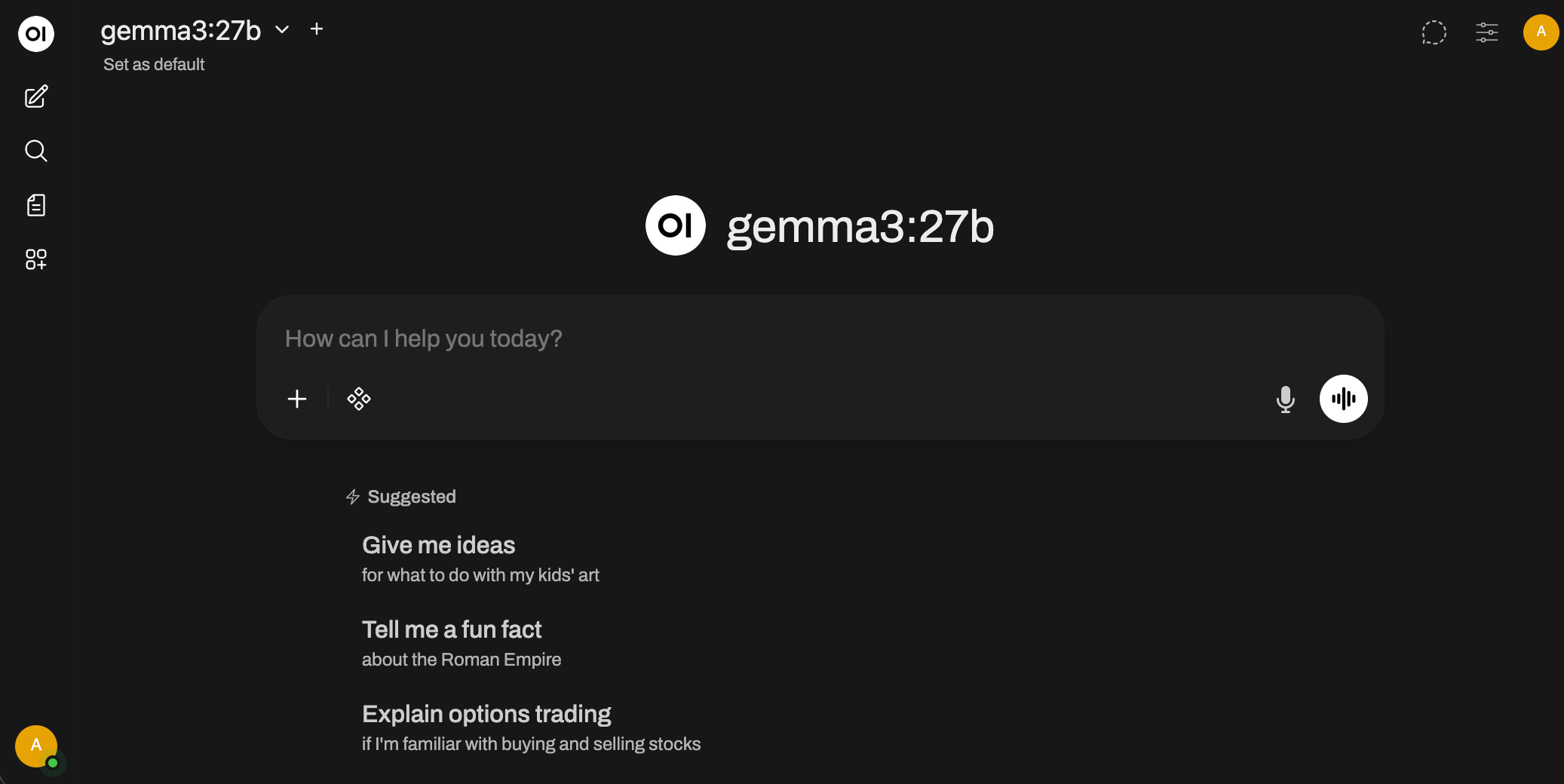
While the terminal interface works great, you might prefer a more user-friendly ChatGPT/Gemini-style chat interface in your browser. That’s where Open WebUI comes in - it’s an open-source, self-hosted web interface that connects to Ollama.
To run Open WebUI, you need Docker Desktop installed, though there are also Python-based installation methods available.
If you have Docker Desktop running, execute this command:
docker run -d -p 3000:8080 --add-host=host.docker.internal:host-gateway -v open-webui:/app/backend/data --name open-webui --restart always ghcr.io/open-webui/open-webui:main
What this command does:
-d: Runs the container in detached mode (background)-p 3000:8080: Maps port 8080 in the container to port 3000 on your host--add-host=host.docker.internal:host-gateway: Allows the Docker container to communicate with Ollama running on your host-v open-webui:/app/backend/data: Creates a persistent volume for chat history and settings--restart always: Automatically restart the container if it crashes or after system reboot
Once the Docker container is running, open your browser and navigate to http://localhost:3000/
Using the Ollama API
You can also interact with Ollama programmatically using its REST API. This is useful for integrating LLMs into your own applications:
curl http://localhost:11434/api/generate -d '{
  "model": "gemma3:27b",
  "prompt":"Who was first President of India"
}'
neilghosh@neilghosh-mac-studio ~ % curl http://localhost:11434/api/generate -d '{  "model": "gemma3:27b",   "prompt":"Who was first President of India"}'
{"model":"gemma3:27b","created_at":"2025-12-28T11:43:47.941022Z","response":"The","done":false}
{"model":"gemma3:27b","created_at":"2025-12-28T11:43:47.980486Z","response":" first","done":false}
{"model":"gemma3:27b","created_at":"2025-12-28T11:43:48.019804Z","response":" President","done":false}
{"model":"gemma3:27b","created_at":"2025-12-28T11:43:48.059296Z","response":" of","done":false}
{"model":"gemma3:27b","created_at":"2025-12-28T11:43:48.098868Z","response":" India","done":false}
{"model":"gemma3:27b","created_at":"2025-12-28T11:43:48.138344Z","response":" was","done":false}
{"model":"gemma3:27b","created_at":"2025-12-28T11:43:48.177787Z","response":" **","done":false}
{"model":"gemma3:27b","created_at":"2025-12-28T11:43:48.217355Z","response":"Dr","done":false}
{"model":"gemma3:27b","created_at":"2025-12-28T11:43:48.25691Z","response":".","done":false}
{"model":"gemma3:27b","created_at":"2025-12-28T11:43:48.296326Z","response":" Raj","done":false}
{"model":"gemma3:27b","created_at":"2025-12-28T11:43:48.335835Z","response":"endra","done":false}
{"model":"gemma3:27b","created_at":"2025-12-28T11:43:48.375877Z","response":" Prasad","done":false}
...
...
Indian","done":false}
{"model":"gemma3:27b","created_at":"2025-12-28T11:43:50.230835Z","response":" Constitution","done":false}
{"model":"gemma3:27b","created_at":"2025-12-28T11:43:50.27012Z","response":".","done":false}
{"model":"gemma3:27b","created_at":"2025-12-28T11:43:50.309673Z","response":"\n\n\n\n","done":false}
{"model":"gemma3:27b","created_at":"2025-12-28T11:43:50.34898Z","response":"","done":true,"done_reason":"stop","context":[105,2364,107,15938,691,1171,5376,529,4673,106,107,105,4368,107,818,1171,5376,529,4673,691,5213,9231,236761,15105,37888,91520,84750,236743,108,2209,7779,699,236743,236770,236819,236810,236771,531,236743,236770,236819,236825,236778,236764,1646,16492,10911,236761,1293,691,496,2307,8575,528,506,6225,21555,7296,1680,4673,16531,21555,236764,532,6657,496,3629,3853,528,66582,506,6225,20901,236761,110],"total_duration":2903714459,"load_duration":156688500,"prompt_eval_count":15,"prompt_eval_duration":337553125,"eval_count":62,"eval_duration":2382672126}
Understanding Token Streaming
The responses come in small chunks because of the fundamental nature of how LLMs work. The model generates and streams back one token at a time (a token is roughly a word or part of a word). This isn’t just a fancy UI effect to make it look like it’s “thinking” - it’s actually how the model generates text:
- The model predicts the most likely next token based on all previous tokens
- That token is sent to the client immediately (streaming)
- The model then uses that token as input to predict the next token
- This process repeats until the model decides to stop
This is why you see the "done":false in each JSON response until the final one. Streaming allows users to start reading the response before generation is complete, which is especially valuable for long responses.
Specialized Models for Different Tasks
While Gemma3:27b is a powerful general-purpose LLM, there are specialized models optimized for specific tasks. For coding and programming tasks, qwen2.5-coder:32b is excellent.
Qwen2.5-Coder is specifically trained on massive amounts of code and technical documentation, making it particularly good at:
- Code generation and completion
- Debugging and code review
- Explaining code
- Converting between programming languages
- Writing documentation
To run it:
ollama run qwen2.5-coder:32b
Other popular models available through Ollama:
llama3.1:70b- Meta’s flagship open modeldeepseek-coder:33b- Another excellent coding modelmistral:7b- Fast and efficient general-purpose modelcodellama:34b- Meta’s specialized code model
Integrating with VS Code using Continue
To use these local models directly in VS Code (similar to GitHub Copilot or other AI coding assistants), you can install the Continue extension. This brings the power of local LLMs right into your editor with features like:
- Chat interface: Ask coding questions in a sidebar
- Code editing: Select code and ask the AI to modify it
- Autocomplete: Get inline code suggestions as you type
- Code explanation: Understand complex code
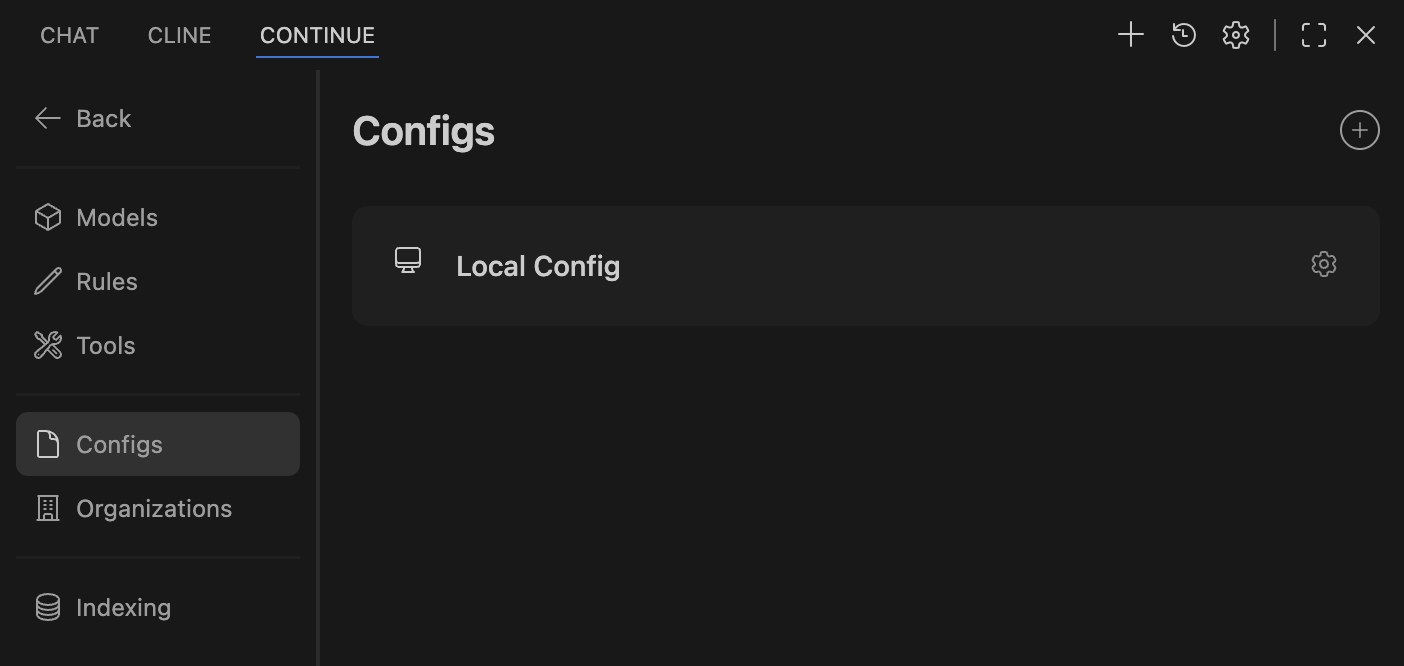
Install Continue from the VS Code marketplace, then configure it to use your local Ollama models by editing its config file (~/.continue/config.json):
name: Local Config
version: 1.0.0
schema: v1
models:
  - name: Qwen3 30B
    provider: ollama
    model: qwen3:30b
    roles:
      - chat
      - edit
      - apply
  - name: qwen2.5-coder:32b
    provider: ollama
    model: qwen2.5-coder:32b
    roles:
      - autocomplete
Understanding the roles:
- chat: Used for the chat sidebar where you ask questions
- edit: Used when you select code and ask the AI to modify it
- apply: Used for applying changes suggested by the AI
- autocomplete: Used for inline code completion as you type
The configuration above uses the larger Qwen3 30B for interactive tasks (chat, edit, apply) where quality matters, and the specialized qwen2.5-coder for fast autocomplete suggestions.

If you see it asking for API keys of subscription-based services, double-check that local config is properly enabled in the Continue plugin settings.
Continue CLI for Terminal Users
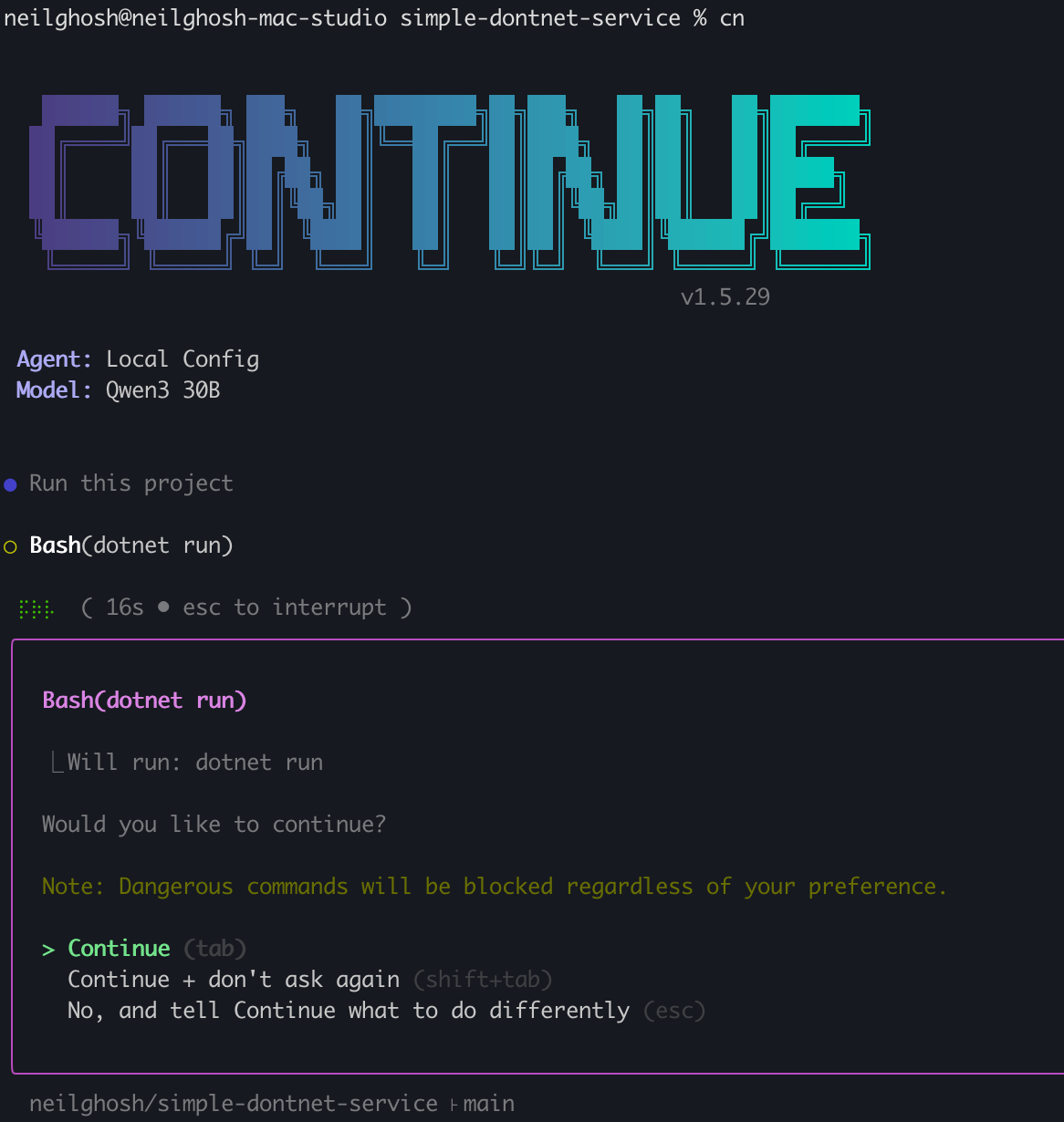
For developers who prefer working in the terminal, Continue also offers a CLI tool that functions like GitHub Copilot CLI or Gemini CLI. It allows you to ask coding questions and get AI assistance directly in your terminal:
npm install -g @continuedev/cli
After installation, you can use commands like:
continue "how do I parse JSON in Python"
continue "explain this error: ModuleNotFoundError"
continue "write a function to sort an array"
Managing Models
You can list all models that are downloaded on your system at any time:
ollama list
Output:
NAME                 ID              SIZE     MODIFIED
deepseek-r1:32b      edba8017331d    19 GB    45 hours ago
qwen3:30b            ad815644918f    18 GB    2 days ago
qwen2.5-coder:32b    b92d6a0bd47e    19 GB    2 days ago
gemma3:27b           a418f5838eaf    17 GB    2 days ago
This shows all downloaded models, their IDs, disk space usage, and when they were last used.
Useful Ollama commands:
ollama ps                    # Show currently running models
ollama pull <model>          # Download a model
ollama rm <model>            # Remove a model to free up space
ollama show <model>          # Show model information and parameters
ollama cp <src> <dest>       # Copy a model
Note: Models are automatically loaded into memory when you use them and unloaded after a period of inactivity to free up RAM. Use ollama ps to see which models are currently loaded in memory.
Conclusion
Running LLMs locally gives you privacy, cost savings, and complete control over your AI assistant. While local models may not be as capable as the latest GPT-4 or Claude models, they’re constantly improving and are more than sufficient for most everyday tasks. The ecosystem of tools like Ollama, Open WebUI, and Continue makes it easier than ever to get started with local AI.